

File size: 13,193 Bytes
1d9dd94 9ef9351 1d9dd94 9ef9351 1d9dd94 9ef9351 1d9dd94 eaa8adc 9786b26 eaa8adc 9786b26 c95e974 eaa8adc 9786b26 eaa8adc 3d1e9c8 fe11913 3d1e9c8 f41adc8 3d1e9c8 8b9d163 9ef9351 bd08ee2 9786b26 ca71e8d 9ef9351 8b9d163 5614665 eaa8adc 4019eb8 9ef9351 4019eb8 eaa8adc 06526c0 4dc82f6 8750664 4dc82f6 eaa8adc 49afd29 eaa8adc 56b74ab 4828e6c 56b74ab eaa8adc |
1 2 3 4 5 6 7 8 9 10 11 12 13 14 15 16 17 18 19 20 21 22 23 24 25 26 27 28 29 30 31 32 33 34 35 36 37 38 39 40 41 42 43 44 45 46 47 48 49 50 51 52 53 54 55 56 57 58 59 60 61 62 63 64 65 66 67 68 69 70 71 72 73 74 75 76 77 78 79 80 81 82 83 84 85 86 87 88 89 90 91 92 93 94 95 96 97 98 99 100 101 102 103 104 105 106 107 108 109 110 111 112 113 114 115 116 117 118 119 120 121 122 123 124 125 126 127 128 129 130 131 132 133 134 135 136 137 138 139 140 141 142 143 144 145 146 147 148 149 150 151 152 153 154 155 156 157 158 159 160 161 162 163 164 165 166 167 168 169 170 171 172 173 174 175 176 177 178 179 180 181 182 183 184 185 186 187 188 189 190 191 192 193 194 195 196 197 198 199 200 201 202 203 204 205 206 207 208 209 210 211 212 213 214 215 216 217 218 219 220 221 222 223 224 225 226 227 228 229 230 231 232 233 234 235 236 237 238 239 240 241 242 243 244 245 246 247 248 249 250 251 252 253 254 255 256 257 258 259 260 261 262 263 264 265 266 267 268 269 270 271 272 273 274 275 276 277 278 279 280 281 282 283 284 285 286 287 288 289 290 291 292 293 294 295 296 297 298 |
---
license: cc-by-nc-4.0
dataset_info:
features:
- name: image
dtype: image
- name: annotations
list:
- name: class_id
dtype: int64
- name: segmentation
sequence:
sequence:
sequence: float64
splits:
- name: train
num_bytes: 103638330.0
num_examples: 82
- name: valid
num_bytes: 26074864.0
num_examples: 21
download_size: 124824112
dataset_size: 129713194.0
configs:
- config_name: default
data_files:
- split: train
path: data/train-*
- split: valid
path: data/valid-*
---
---
# Vision-Guided Robotic System for Automatic Fish Quality Grading and Packaging
This dataset (recorded with a Realsense D456 camera), associated with our work accepted in the **<span style="color:green">IEEE/CAA Journal of Automatica Sinica</span>**, includes images and corresponding instance segmentation annotations (in YOLO format) of hake fish steaks on an industrial conveyor belt. It also provides BAG files for two quality grades of fish steaks (A and B), where A-grade steaks are generally larger.
The paper details our use of YOLOv8 instance segmentation (check [**<span style="color:red">HERE</span>**](https://docs.ultralytics.com/models/yolov8/) how to train and validate the model) to isolate the fish steaks and the subsequent measurement of their size using the depth data from the BAG files.
🤗 [Paper]**<span style="color:orange"> Coming soon ...</span>**
## 📽️ Demo Video
[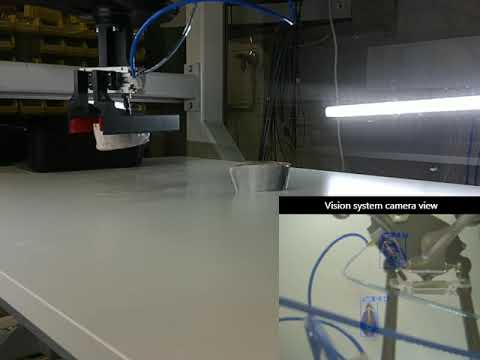](https://www.youtube.com/watch?v=Ut3pn5WhnVA)
## Dataset Structure
## 🗂️ BAG files & trained segmentation model:
Please first read the associated paper to understand the proposed pipeline.
The BAG files for A and B grades, as well as the weights of the trained segmentation model (best.pt and last.pt), can be found [[**<span style="color:red">HERE</span>**].](https://fbk-my.sharepoint.com/:f:/g/personal/mmekhalfi_fbk_eu/ElmBGeHUIwpPveSRrfd7qu4BQpAiWsOo70m8__V875yggw?e=1L0iTT).
The segmentation model is designed to segment fish samples. The BAG files are intended for testing purposes. For example, you could use the provided model weights to segment the RGB images within the BAG files and then measure their size based on the depth data.
For clarity, a simplified code snippet for measuring steaks' (metric) perimeter is provided below. You can repurpose this for your specific task:
```python
import pyrealsense2 as rs
import numpy as np
import cv2
import copy
import time
import os
import torch
from ultralytics import YOLO
from random import randint
import math
import matplotlib.pyplot as plt
class ARC:
def __init__(self):
bag = r'Class_A_austral.bag' # path of the bag file
self.start_frame = 0 # start from the this frame to allow the sensor to adjust
# ROI coordinates are determined from the depth images (checked visually and fixed)
self.x1_roi, self.x2_roi = 250, 1280
self.y1_roi, self.y2_roi = 0, 470
self.delta = 5 # to discard steaks occluded along the borders of the image
self.area_tresh = 80
self.bag = bag
self.device = torch.device("cuda") if torch.cuda.is_available() else torch.device("cpu")
# load and run model
self.my_model = YOLO('./weights/last.pt') # path of the bag file
self.pipeline = rs.pipeline()
config = rs.config()
config.enable_device_from_file(bag, False)
config.enable_all_streams()
profile = self.pipeline.start(config)
device = profile.get_device()
playback = device.as_playback()
playback.set_real_time(False)
#################### POSTPROCESSING ########################################
self.fill_filter = rs.hole_filling_filter()
##############################################################################
def video(self):
align_to = rs.stream.color
align = rs.align(align_to)
t_init_wait_for_frames = time.time()
for i in range(self.start_frame):
self.pipeline.wait_for_frames()
t_end_wait_for_frames = time.time()
i = self.start_frame
while True:
t_init_all = time.time()
frames = self.pipeline.wait_for_frames()
aligned_frames = align.process(frames)
color_frame = aligned_frames.get_color_frame()
depth_frame = aligned_frames.get_depth_frame()
self.color_intrin = color_frame.profile.as_video_stream_profile().intrinsics
# postprocessing, hole filling of depth noise
depth_frame = self.fill_filter.process(depth_frame).as_depth_frame()
# if raw depth is used
self.depth_frame = depth_frame
# Convert color_frame to numpy array to render image in opencv
color_image = np.asanyarray(color_frame.get_data())
rgb_image = cv2.cvtColor(color_image, cv2.COLOR_BGR2RGB)
results = list(self.my_model(rgb_image, conf=0.7, retina_masks=True, verbose=False, device=self.device))
result = results[0] # The results list may have multiple values, one for each detected object. Because in this example we have only one object in each image, we take the first list item.
if result.masks == None: # Proceed only if there are detected steaks
print('---------> Frame {}: No steaks detected'.format(i))
i += 1
else:
print('---------> Frame {} >> Processing {} steak(s)'.format(i, len(result.masks)))
masks = result.masks.data
masks = masks.detach().cpu()
# resize masks to image size (yolov8 outputs padded masks on top and bottom stripes that are larger in width wrt input image)
padding_width = int((masks.shape[1] - rgb_image.shape[0])/2)
masks = masks[:, padding_width:masks.shape[1]-padding_width, :]
# filter out the masks that lie at the predefined (above) ROI (e.g., occluded fish steaks, because they cannot be graded if not whole)
id_del = []
for id_, msk in enumerate(masks):
x_coord = np.nonzero(msk)[:, 1]
y_coord = np.nonzero(msk)[:, 0]
# ROI
x_del1 = x_coord <= self.x1_roi + self.delta
x_del2 = x_coord >= self.x2_roi - self.delta
if True in x_del1 or True in x_del2:
id_del.append(id_)
del x_del1, x_del2
id_keep = list(range(masks.shape[0]))
id_keep = [item for item in id_keep if item not in id_del]
masks = masks[id_keep]
# calculate the perimeter of each object ############################################################################################ PERIMETER
polygons = result.masks.xyn
# scale the yolo format polygon coordinates by image width and height
for pol in polygons:
for point_id in range(len(pol)):
pol[point_id][0] *= rgb_image.shape[1]
pol[point_id][1] *= rgb_image.shape[0]
polygons = [polygons[item] for item in id_keep]
t_init_perimeter = time.time()
perimeters = [0]*len(polygons)
for p in range(len(polygons)): # the polygon (mask) id
step = 5 # dist measurement step between polygon points
for point_id in range(0, len(polygons[p])-step, step):
x1 = round(polygons[p][point_id][0])
y1 = round(polygons[p][point_id][1])
x2 = round(polygons[p][point_id + step][0])
y2 = round(polygons[p][point_id + step][1])
# calculate_distance between polygon points
dist = self.calculate_distance(x1, y1, x2, y2)
# print('> x1, y1, x2, y2: {}, {}, {}, {}'.format(x1, y1, x2, y2), '--- distance between the 2 points: {0:.10} cm'.format(dist))
# # visualise the points on the image
# image_points = copy.deepcopy(rgb_image)
# image_points = cv2.circle(image_points, (x1,y1), radius=3, color=(0, 0, 255), thickness=-1)
# image_points = cv2.circle(image_points, (x2,y2), radius=3, color=(0, 255, 0), thickness=-1)
# image_points = cv2.putText(image_points, 'Distance {} cm'.format(dist), org = (50, 50) , fontFace = cv2.FONT_HERSHEY_SIMPLEX , fontScale = 1, color = (255, 0, 0) , thickness = 2)
# cv2.imshow('image_points' + str(id_), image_points)
# cv2.waitKey(0)
# cv2.destroyAllWindows()
# accumulate the distance in cm
perimeters[p] += dist
perimeters[p] = round(perimeters[p], 2)
del dist, x1, y1, x2, y2
i += 1
def calculate_distance(self, x1, y1, x2, y2):
color_intrin = self.color_intrin
udist = self.depth_frame.get_distance(x1, y1)
vdist = self.depth_frame.get_distance(x2, y2)
# print udist, vdist
point1 = rs.rs2_deproject_pixel_to_point(color_intrin, [x1, y1], udist)
point2 = rs.rs2_deproject_pixel_to_point(color_intrin, [x2, y2], vdist)
dist = math.sqrt(math.pow(point1[0] - point2[0], 2) + math.pow(point1[1] - point2[1],2) + math.pow(point1[2] - point2[2], 2))
return round(dist*100, 2) # multiply by 100 to convert m to cm
if __name__ == '__main__':
ARC().video()
```
## 🗂️ Data Instances
<figure style="display:flex; gap:10px; flex-wrap:wrap; justify-content:center;">
<img src="Figure_1.png" width="45%" alt="Raspberry Example 1">
<img src="Figure_2.png" width="45%" alt="Raspberry Example 2">
</figure>
## 🏷️ Annotation Format
Note that the annotations follow the YOLO instance segmentation format.
Please refer to [this page](https://docs.ultralytics.com/datasets/segment/) for more info.
## 🧪 How to read and display examples
```python
from datasets import load_dataset
import matplotlib.pyplot as plt
import random
import numpy as np
def show_example(dataset):
example = dataset[random.randint(0, len(dataset) - 1)]
image = example["image"].convert("RGB")
annotations = example["annotations"]
width, height = image.size
fig, ax = plt.subplots(1)
ax.imshow(image)
num_instances = len(annotations)
colors = plt.cm.get_cmap('viridis', num_instances)
if annotations:
for i, annotation in enumerate(annotations):
class_id = annotation["class_id"]
segmentation = annotation.get("segmentation")
if segmentation and len(segmentation) > 0:
polygon_norm = segmentation[0]
if polygon_norm:
polygon_abs = np.array([(p[0] * width, p[1] * height) for p in polygon_norm])
x, y = polygon_abs[:, 0], polygon_abs[:, 1]
color = colors(i)
ax.fill(x, y, color=color, alpha=0.5)
plt.title(f"Example with {len(annotations)} instances")
plt.axis('off')
plt.show()
if __name__ == "__main__":
dataset_name = "MohamedTEV/FishGrade"
try:
fish_dataset = load_dataset(dataset_name, split="train")
print(fish_dataset)
show_example(fish_dataset)
except Exception as e:
print(f"Error loading or displaying the dataset: {e}")
print(f"Make sure the dataset '{dataset_name}' exists and is public, or you are logged in if it's private.")
```
## 🙏 Acknowledgement
<style>
.list_view{
display:flex;
align-items:center;
}
.list_view p{
padding:10px;
}
</style>
<div class="list_view">
<a href="https://agilehand.eu/" target="_blank">
<img src="AGILEHAND.png" alt="AGILEHAND logo" style="max-width:200px">
</a>
<p style="line-height: 1.6;">
This work is supported by European Union’s Horizon Europe research and innovation programme under grant agreement No 101092043, project AGILEHAND (Smart Grading, Handling and Packaging Solutions for Soft and Deformable Products in Agile and Reconfigurable Lines).
</p>
</div>
## 🤝 Partners
<div style="display: flex; flex-wrap: wrap; justify-content: center; gap: 40px; align-items: center;">
<a href="https://www.fbk.eu/en" target="_blank"><img src="FBK.jpg" width="150" alt="FBK logo"></a>
<a href="https://www.tuni.fi/en" target="_blank"><img src="TampereUniversity.png" width="220" alt="FBK logo"></a>
<a href="https://www.uninova.pt" target="_blank"><img src="uninonva.png" width="200" alt="FBK logo"></a>
<a href="https://https://produmar.pai.pt/" target="_blank"><img src="produmar.png" width="200" alt="Produmar logo"></a>
</div>
## 📖 Citation
Coming soon ...
``` |